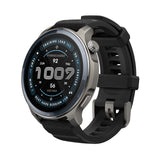
Amazfit Balance 2 February Software Update: Enhance Your Workout Experience
Amazfit Balance 2 February Software Update: Enhance Your Workout Experience
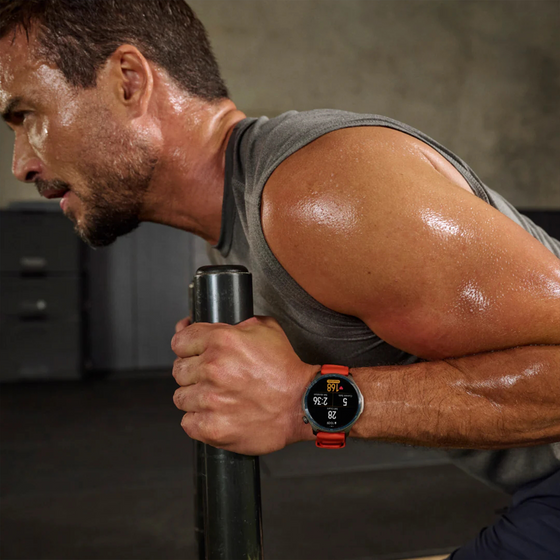
This update brings exciting new features to the Amazfit Balance 2, including enhanced workout audio alerts, route planning capabilities, third-party audio support, and more intuitive vibration feedback. These upgrades are designed to make your fitness journey even more immersive and personalized.
Workout Alert: Stay on Track with Audio Feedback The new Workout Alert feature helps you stay aware and engaged throughout your workout with clear audio cues. Once enabled, alerts are played through your watch speaker or connected headphones, giving you stronger, more immediate feedback. Different workout scenarios use distinct alert sounds—such as per-kilometer notifications, off-route warnings during navigation, or turn-by-turn prompts—so you always know what’s happening at a glance. You can also personalize the experience by selecting your preferredTone Style (Soft, Standard, or Bright) to match your training environment and preference.
Find it under: Settings > Workout > Workout Alert
Route Planning: Navigate Your Workouts with Ease
Planning your routes is now easier than ever with Route Planning. This new feature allows you to create and access routes directly from both your Balance 2 watch and the Zepp App. Perfect for outdoor activities, this addition ensures that you can follow your planned path without any hassle.
Find it under:
On the watch, Map > Navigation > Create Round-Trip Route
On Zepp App, Workout > Create Route
Third-Party Audio Source Support in the Music App: Seamless Music Switching
Your workout playlist just got more flexible with the addition of third-party audio source support in the Music app. Now, you can easily switch between different audio sources during your workout, allowing you to enjoy your music exactly how you want.
Find it under: Music > Select Music Control
Enhanced Workout Vibration Feedback: Clearer Alerts for a Better Experience
We’ve improved the vibration feedback during your workouts for clearer, more distinct alerts. Whether it’s time to hydrate, change your pace, or meet a goal, the new vibrations ensure you won’t miss a notification, helping you stay focused throughout your session.
More Updates
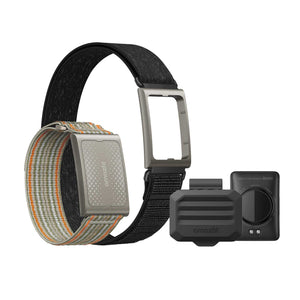
Added support for heart rate tracking with Helio Strap during swimming.
Updated shortcut key logic: double-press of the lower button disabled during workouts and in Stopwatch.
Improved diving experience with reduced system interruptions.
Improved Zepp Coach training plans.
Improved map display and interaction for clearer routes and positioning.
Improved notification handling and power efficiency for a more stable battery life.
Improved lock screen password and font display.
Fixed known issues for better stability and smoothness.
Frequently Ask Questions
What is Workout Alert, and how do I use them? Workout Alert provides audio cues to keep you informed during your workout. Once enabled, you'll hear sound notifications via your watch’s speaker or connected headphones, making it easier to stay on track. Different workout scenarios have different alert sounds, such as per-kilometer notifications during a workout, off-route warnings during navigation, and turn-by-turn prompts, each with its own distinct tone. Go to Settings > Workout > Workout Alert
Can I customize the Workout Alert Tone Style? Yes! After enabling Workout Alert, you can choose your preferred Workout Alert Tone Style (Soft, Standard, or Bright).
What is Route Planning, and how do I use it? Route Planning makes it easier than ever to plan and navigate your outdoor workouts. This feature allows you to create and access routes directly from both your Balance 2 watch and the Zepp app. On the watch, go to Map > Navigation > Create Round-Trip Route Open the Zepp App, go to Workout > Create Route
What is third-party audio source support in the Music app?
We’ve added third-party audio source support in the Music app, allowing you to easily switch between different audio sources during your workout.
Open the Music app on your watch, Select Music Control to switch between your preferred music sources.
How has workout vibration feedback been improved?
The workout vibration feedback during your workouts has been enhanced for clearer, more distinct alerts. Whether it’s time to hydrate, change your pace, or meet a goal, the new vibrations ensure you won’t miss an important notification.