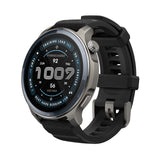
With Spring now in full swing, we wanted to provide you with a few fun tips (outside of health management and fitness monitoring) that we’ve found useful on Amazfit products.
Photo Taking at the Ready Trying to capture the perfect selfie or group photo? Be in full control of when you’re snapping a picture with Amazfit’s help. The Amazfit Bip U, Amazfit Bip U Pro and Amazfit GTS 2 mini allow you to use your watch as a camera remote. To access this feature head to your main menu and look for the ‘Camera Remote’ option. Follow the on screen instructions to get set up. An easy click is able to capture even more memories.
Stress Monitoring & Breathing Exercise To help with stress some Amazfit products feature stress monitoring which allows users to check personal stress levels--from relaxed, normal, medium or high. Being able to track stress is helpful in order to engage in stress management techniques to relax. One way Amazfit assists in reducing stress is via guided breathing exercises, a feature found on the Amazfit Bip U, Amazfit Bip U Pro, Amazfit GTS 2 miniand Amazfit Band 5.
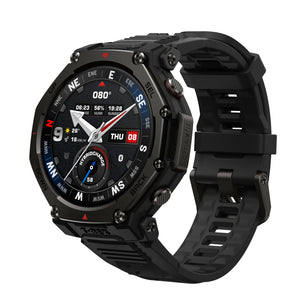
Easy Music Playback Whether you're in the zone listening to music during a workout or playing DJ during a party, let Amazfit help with music playback. This is available as a feature on the Amazfit GTR 2, Amazfit GTS 2, Amazfit GTS 2 mini, Amazfit Bip U & Bip U Pro, Amazfit Band 5, Amazfit Bip S and Amazfit T-Rex Pro. Find the ‘Music’ option from the main menu, and with a simple tap, be in full control of music playback--pause, play, skip tracks and even adjust volume all from your wrist.