Amazfit Balance Update: Enhancing Your Fitness Journey
Amazfit Balance Update: Enhancing Your Fitness Journey
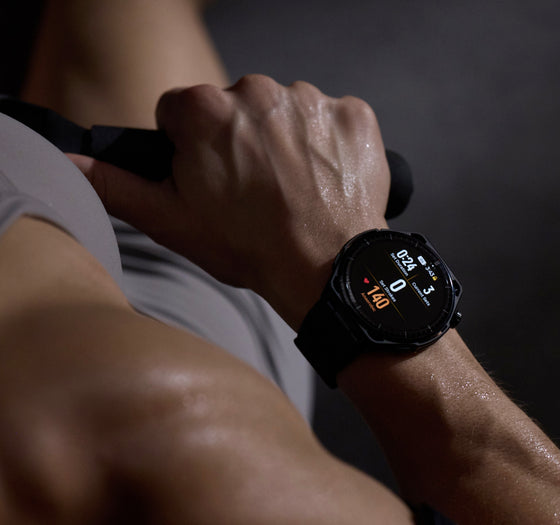
The latest software update for Amazfit Balance brings exciting new features to elevate your fitness tracking experience. From the introduction of the BioCharge app to the enhanced crown interaction and expanded third-party platform integrations, this update provides deeper insights into your body’s performance and offers improved control during workouts. Keep reading to know all about the enhancements.
BioCharge: Precision in Energy Management
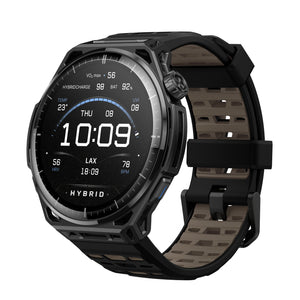
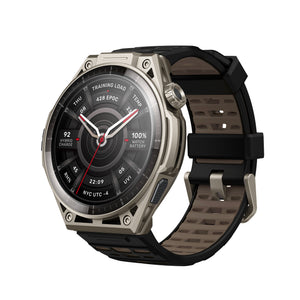
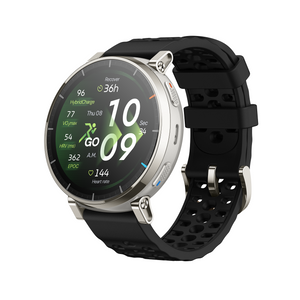
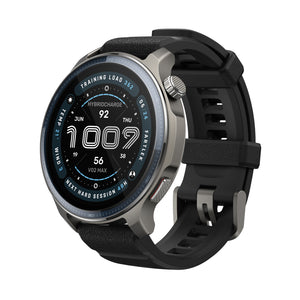
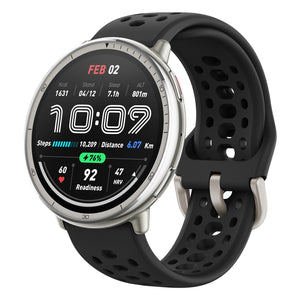
Say goodbye to vague feelings, embrace precise energy management. BioCharge now replaces Readiness both on your watch and as a key metric in the Zepp App, so you can keep track of your energy levels throughout the day. It deeply integrates Heart Rate Variability (HRV), stress levels, activity intensity, and sleep quality analysis, transforming your comprehensive physiological state into an intuitive ‘battery’ percentage. From data insights to actionable guidance, BioCharge helps you unlock your body’s potential and perform at your best.
Find it under: App List > BioCharge or Shortcut cards > BioCharge
Enhanced Crown Interaction: Control at Your Fingertips
In button mode, the digital crown now supports new gestures: rotate upward to open the Notification Center, and downward to access the Control Center. Smooth, intuitive, and perfectly built for training on the move.
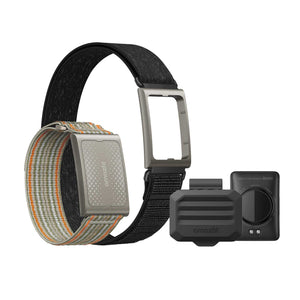
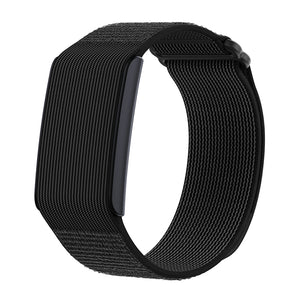
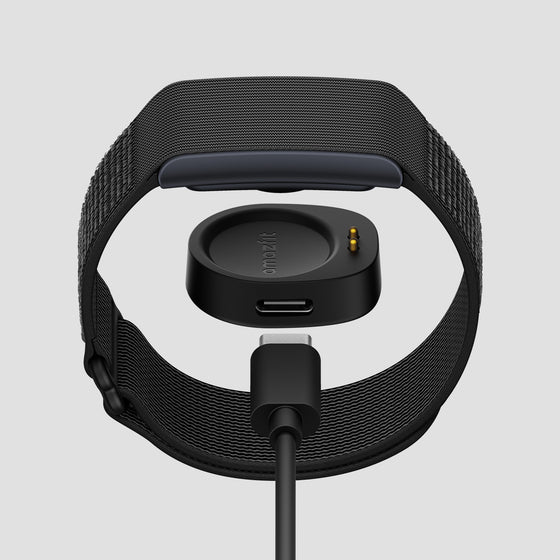
With this update, the Balance connects to your Helio Strap via a mini app, for dual-device heart rate monitoring during workouts, delivering more accurate heart rate zone tracking. Whether you're training for endurance, intervals, or strength, the combination of your Balance and Helio Strap ensures precise data, helping you train smarter and safely push your limits. The connection between both devices enhances your overall training experience, allowing you to monitor performance in real-time and optimize your efforts.
Stryd Integration: Bringing Running Power to Every Workout
Pair your Stryd sensor with your Amazfit watch to bring running power to every workout. Supported across both running and walking activities, your data syncs seamlessly to the Stryd platform by linking your Zepp and Stryd accounts. Train with power, pace your long runs and race day with confidence, and track your progress with clear insights across platforms.
All workouts will automatically sync with the Stryd platform to view your running dynamics data, view insights, and guidance to enhance your training.
Seamless training starts with a simple connection. By linking your Zepp account in the Stryd app, every run and walk you record on your Amazfit watch flows directly into Stryd — automatically.
Open the Stryd app, head to Settings → Connected Accounts → Zepp, sign in, and you’re ready to go. From your wrist to your performance dashboard, your training has never been this connected.
TrainingPeaks & Intervals.icu: Smarter Training Connections
Connect your Balance directly to TrainingPeaks and Intervals.icu for effortless data sync, training plan imports, and performance insights. From training preparation to post-workout analysis, you can now track and understand your performance more comprehensively.
Link your TrainingPeaks / Interval.icu account in the Zepp app: Zepp - Home - Profile - 3rd-party account linking. Once linking is complete, you can sync your training plan content with the linked third-party account in Zepp - Workout - My Training Plan.
Optimized Activity Reminders
We’ve optimized the timing and messaging of Activity Reminders to help you stay on track with your daily fitness goals. Reminders now arrive at more meaningful moments, and the refreshed messaging makes it easier to stay motivated and engaged with your progress.
Additional Updates
Improved scoring for Zepp Coach running training plans.
Improved the maximum limit for workout training templates, now supporting the creation of up to 100 training templates.
Improved the maximum cadence and average cadence calculation features for treadmill running workouts.
Improved sleep algorithm, fixing known issues in certain scenarios and enhancing accuracy.
Improved the Weather app interface with added support for displaying nighttime weather conditions.
Improved weather data sources and update mechanisms for more accurate and timely weather information.
Improved map-related experiences.
Fixed issues with abnormal Zepp Coach training plans caused by time zone inconsistencies.
Fixed other known issues to improve overall system stability and smoothness.
FAQ
How do I use the BioCharge app?
You can access BioCharge on your Amazfit Balance or in the Zepp App. Simply go to App List > BioCharge or use the Shortcut Cards to track your energy levels throughout the day, powered by heart rate variability, stress levels, and sleep quality.
How does Enhanced Crown Interaction work?
With the digital crown, you can now scroll up to open the Notification Center and scroll down to access the Control Center, making it easier to navigate while on the move.
How do I pair the Helio Strap with my Amazfit Balance?
To pair the Helio Strap with your Amazfit Balance, go to the watch's main menu and select Amazfit Helio Strap. Follow the on-screen instructions to complete the pairing. This will improve the accuracy of your heart rate monitoring during workouts.
How do I sync my data with the Stryd platform?
Pair your Stryd sensor with your Amazfit Balance and link your Zepp account in the Stryd app. Once linked, your workout data will sync automatically to the Stryd platform for detailed performance insights.
Can I link my TrainingPeaks or Intervals.icu account to the Zepp app?
Yes, you can link your TrainingPeaks or Intervals.icu account in the Zepp App. Go to Zepp > Profile > 3rd-party account linking, and sync your training plans directly to your Amazfit Balance watch.