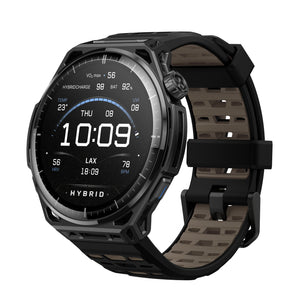
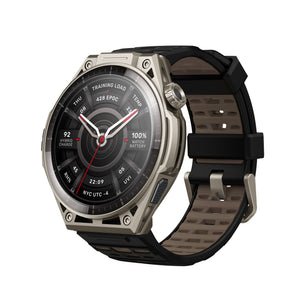
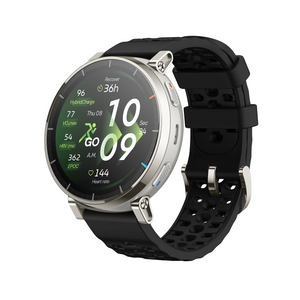
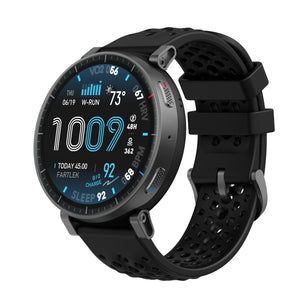
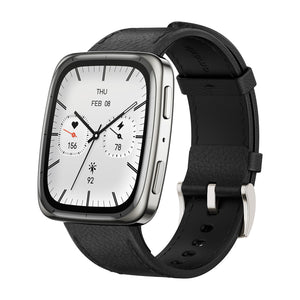
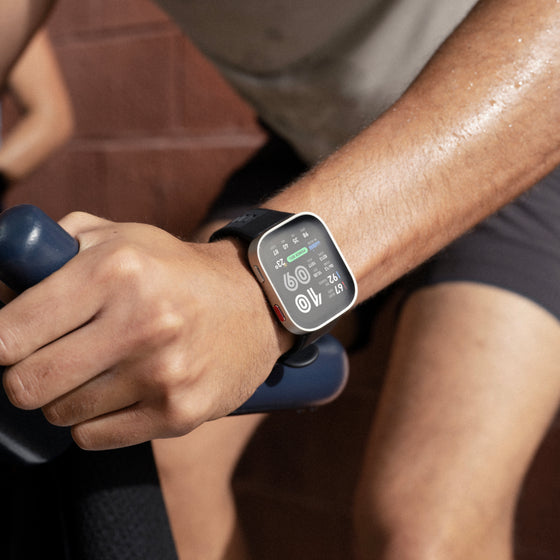
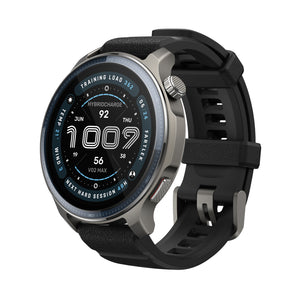
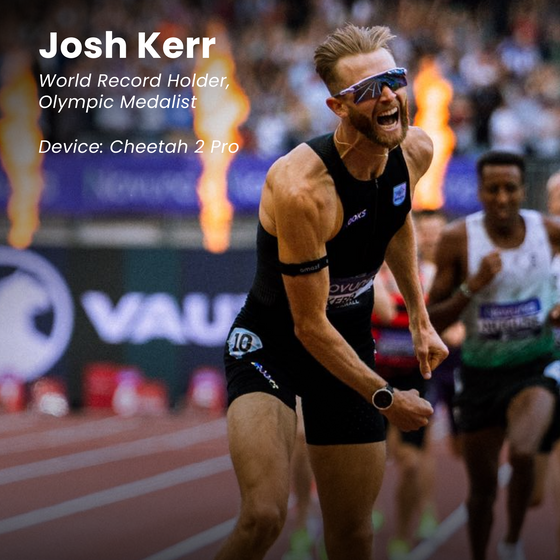
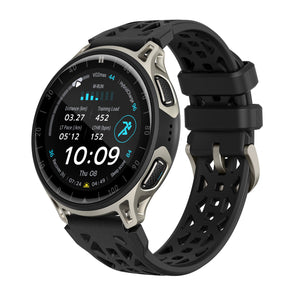
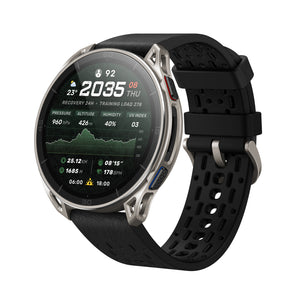
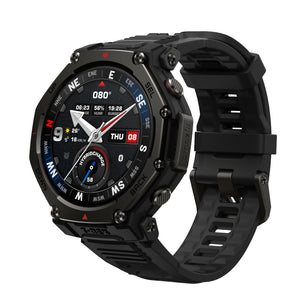
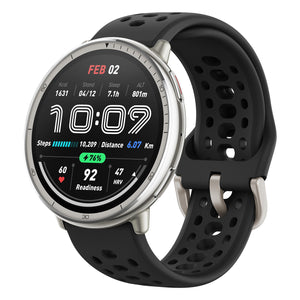

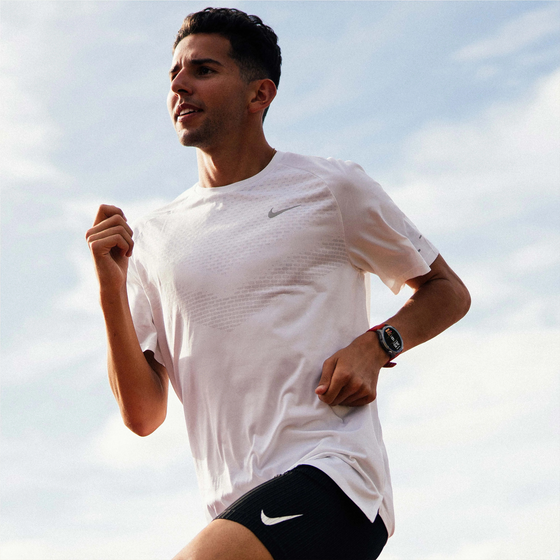

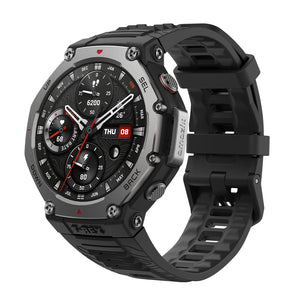





The feel and view of the watch is phenomenal! Great price as well!
Train with Structure.
Black Friday pricing ends in
Save $80 on this gift
Couldn't load pickup availability
Order by Dec 14 For delivery by Dec 24.
Pay in installments At checkout.
Explore other Balance models
Balance 2
$219.99 $299.99
Balance 3
$369.99
+$150
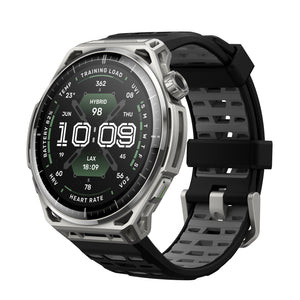
Balance Ultra
$599.99
+$380
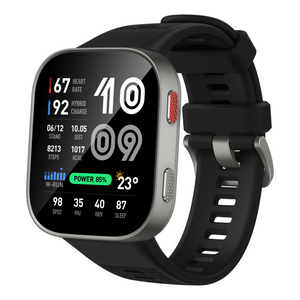
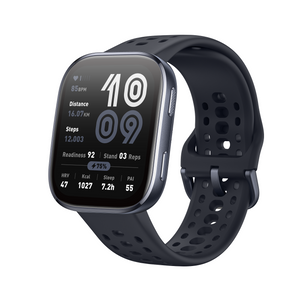
All Balance watches have sapphire glass, GPS, offline maps, 10 ATM water resistance, Bluetooth, and no subscription workout and recovery data in the Zepp App.


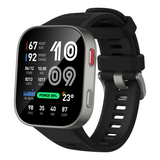
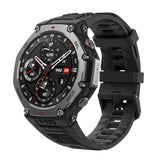
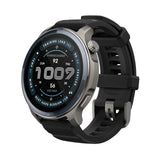
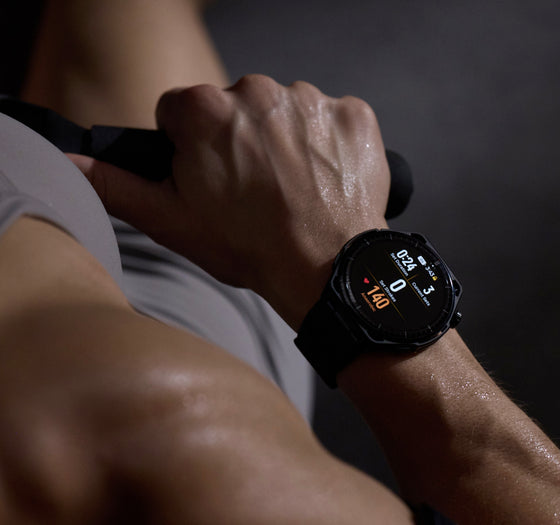
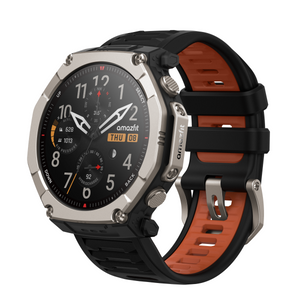
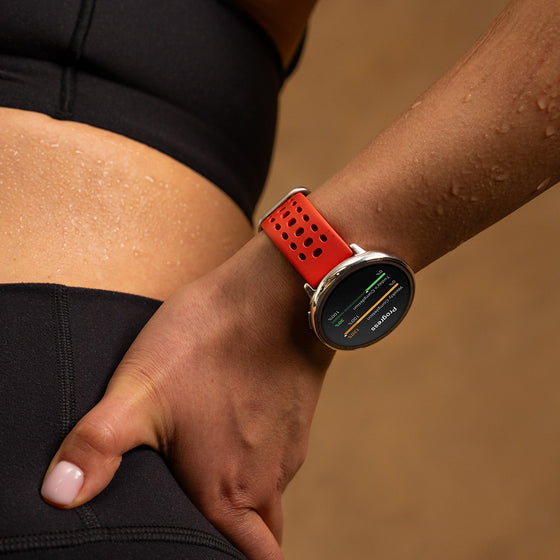
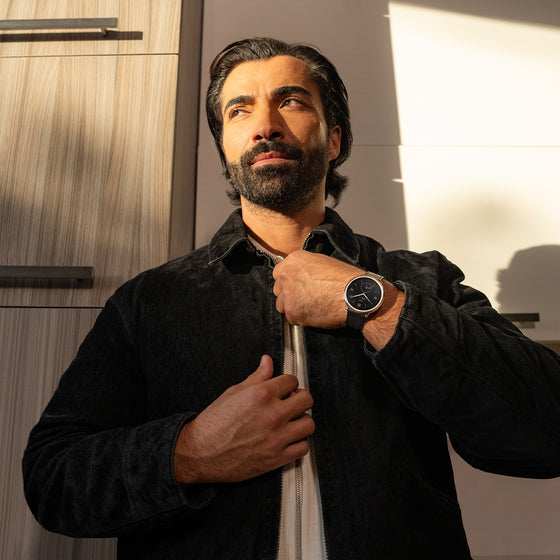
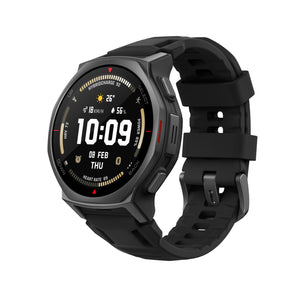
The sleek aluminum body and 1.5" durable sapphire crystal glass screen offer a premium, resilient design, while dual speakers provide clear audio cues during training. Style meets function to keep you focused and in control.


With maps for 40,000 courses worldwide available, Balance 2 gives you the full in-round golf experience - from seeing the distance to green, hazards, hole layout, last swing metrics, and more.

Amazfit's BioTracker™ technology provides precise, real-time monitoring² of heart rate, sleep quality³, blood-oxygen levels, and stress, empowering you with actionable insights to optimize your health and fitness.


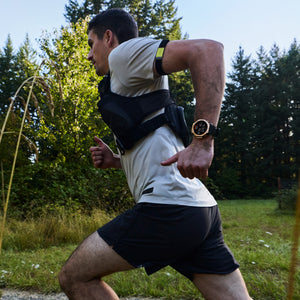
Accurately track your every move, even under tall buildings or trees. Dual-band support from six satellite systems⁵ ensures fast, reliable connection.


Overall rating: 4.8 / 5 from 109 reviews.
The feel and view of the watch is phenomenal! Great price as well!

Lo único a mencionar es que No tengo la opción de pagar por ejemplo con GPay, no se por que no tengo activo el NFC. Ya reclamé pero sin respuesta aun.

This watch is way better than I was expecting. It does everything and more And the battery life is amazing! Highly recommend

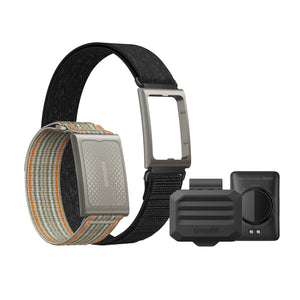
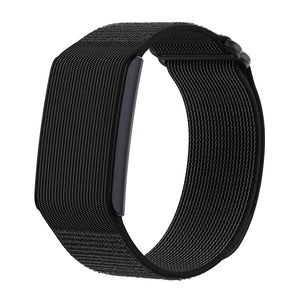
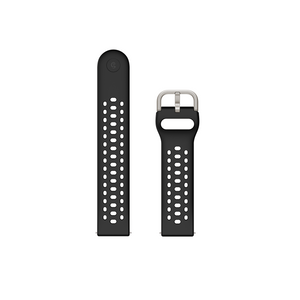
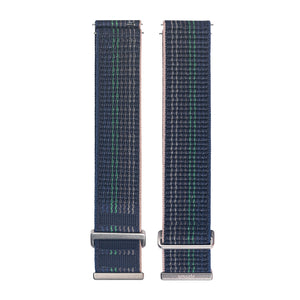
Love them both. Seemless integration, and accurate HR measurements during all my exercises. Love the sapphire crystal. My original balance has some marks on the glass, that I know won't happen to this one. I wish the nylon straps on the website were updated to match the color of the balance 2. The metal is the silver/gold of the balance 1, and they don't match the balance 2. Too bad. The Harmony blue with dark grey metal would look AMAZING on the Balance 2. Anyway, I love the new watch and how it syncs with Helio strap to take HR from it. Super happy...

I Love how it tracks my runs. And the quality of the screen is great.

You can say I collect smartwatches - and my journey ends with this watch! It’s perfect!
Super fast shipping. I'm loving the watch so far. Easy to set up, excellent features, and accurate GPS.
Great watch, love Amazfit!
Im really enjoying the watch thus far. if im able to dive with this watch then it should have no problem in the shower is my question.
I've had my Balance 2 for a week now. So far just scratching the surface as to its capabilities - I may never use half of them, but I like what I see as far as health monitoring and love the fact that I don't have to recharge it every day like my apple watch. Looks great, comfortable to wear and very customizable. Using the watch and Zepp software have been pretty easy to adapt to. Loving it - would recommend to anyone!
So far, after a week I have to say I am impressed, especially being a Garmin fan for decades. It really sits side by side on my runs, they are both within a second of each other and 1-2 beats with the garmin using a HR strap. Would love to see a RUN/WALK option on this device.
Great looking product, really impressive
Great looking product, really impressive
Very high quality watch. Heart rate is accurate and vibration feels nice and is silent. So far, I am enjoying the use of the health tracking capabilities.
Very high quality watch. Heart rate is accurate and vibration feels nice and is silent. So far, I am enjoying the use of the health tracking capabilities.
I got the balance 2 back in April for a replacement for my aging Garmin golf watch based on reviews for battery life. Have to say it did not disappoint. The battery lasts forever. I can play a handful of rounds before charging where as my Garmin would go 1-1 1/2 rounds at best. I love the watch. The only reason I gave 4 stars is because with my Garmin I could see how far each shot went right on the screen, no digging around to find it. But with the balance 2 that isn’t an option even if I dig around in other screens, it’s just not an option. For a smart watch that does SO much that is very disappointing when compared to other cheaper golf/smart watches. You guys NEED to get on this feature, anyone who plays golf will want this info. If you could get this added you would blow every other golf watch out of the water hands down, even the far far more expensive watches. If this info is there and I can’t find it please let me know and I’d be glad to change this to the 5 stars it should be. Also the golf app is hard to view in the sun when playing. Until this if fixed it’s just a 4 star product.
I am going from a Galaxy 7 and the battery life is very good on the Balance 2. Some things I struggle with is: attaching earbuds to it, seeing it in the sun, not enough access to watch faces that are edible. Also since I work out a couple times a day the battery only lasts for 6 days but that is still better than Galaxy 7.
Amazing technology.
Amazing technology.
The watch is great, but I still don't really know how to use its features to my best advantage. Perhaps the information is out there, but I should not have to search for it.
Went from an Apple Watch Ultra 3 to the Balance 2 as I wanted a better sports watch with better battery life. I haven’t looked back, truly enjoy my balance 2 more than I expected. Amazfit customer moving forward.
The watch is beautiful and does a fabulous job of tracking my workouts, golf rounds and many other facets of my life. I was a Garmin user for over 6 years and this watch kicks it's butt!!
Team is very responsive
Great all around fitness watch. I own an Amazfit Balance 2 myself and gifted my dad with one for an early father's day. I even used it for my scuba diving cert and it worked great!
Just the right upgrade from my Amazfit Active 2.
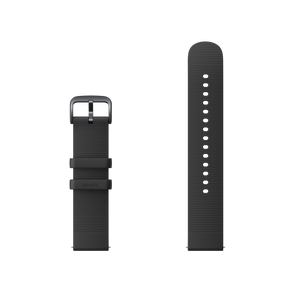
Honestly a lot bigger than I thought. Feels very nice and the two bands in the box are also not uncomfortable. Will comment more when I've used it for a longer period of time.
Honestly a lot bigger than I thought. Feels very nice and the two bands in the box are also not uncomfortable. Will comment more when I've used it for a longer period of time.
I did receive the wath, however it does not meet my needs. It is to heavy to wear while golfing as it bumps against my wrist bone. I am waiting for return instructions. Undoubtedly it has benefits for many but not for golfing.
Don’t underestimate the power and Fun of this watch. Love it !
I’m just glad I didn’t spend 4 x the price on a watch to get the same features and quality !
This watch has a great value proposition. The usual suspects of health and fitness, integration to an app, notifications (which I personally have turned off). It checks all the big boxes. Where it lacks, is watch faces, which is unfortunate being that it is a watch first and foremost. None of the default faces are customizable which is such an oversight. Why wouldn't you allow information the watch already has to be on the face. If I want a dual time for when I travel without doing the whole world time watch face, or a more traditional watch face with heart rate instead of battery. The real miss is that "always on display" (AOD) watch faces aren't available by default. I think some of the AOD faces are the best, and yet I have to pick a different one as my "actual" watch face. Despite the great value, this sort of miss signals a very poor attention to detail on such a basic function, I worry about the other shortcomings. I will likely return it.
Start up was a little clumsy, but it’s probably just me
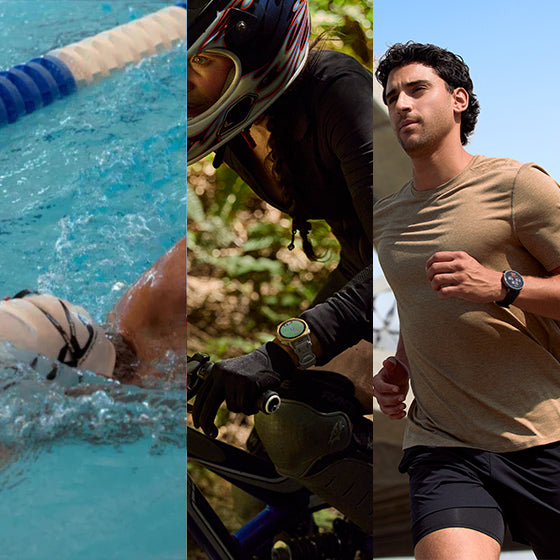
For this price I think it cannot get better than that. I have used my balance 2 watch for scuba diving, spearfishing, trail running, outdoor running, weight lifting, tracking sport's metrics and other statistics and I can only say that I am beyond happy with the purchase. Great job Amazfit team.
Love the watch and the app. Just upgraded from the BIP 6 to the balance 2
I am loving the change from my Apple watch to this Amazfit Balance 2! The ability to purchase with my HSA was difference maker. It is very easy to use, has a bright and responsive display.
I like use look and aesthetics of this watch. It's comfortable and the battery last just shy of a month. The app is very thorough and it works great on both Apple and Android. I love the custom ability and all the watch faces it has. It's as good as a Garmin watch and can customize it like an android. I'm very happy with it b
Love it and recommend it
So far loving the watch.
Only complaint is notifications on text Messages with the iPhone. I have to consistently reset the watch at least once a day to receive the notification for my message.
My wife loves it
Compare
Specs
1. The battery life may vary according to the settings, operation conditions and other factors. So the actual result may differ from the laboratory data. Typical usage scenario: Wear all day; heart rate monitoring is always on and measures at 5-minute intervals; sleep monitoring is enabled; static watch face selected; GPS running for 90 minutes per week; raise wrist to see watch time 100 times per day, 150 pushed messages a day, receive 3 call notifications per day, bright screen operations for 5 minutes per day; 30 minutes of music playback, 15 minutes of Bluetooth phone calls per week. Heavy usage scenario: Wear all day; heart rate monitoring is always on and measures at 1-minute intervals, sleep monitoring, stress monitoring, and 8 hours of sleep breathing monitoring are enabled; GPS running for 30 minutes per day; raise wrist to see watch time 100 times per day, 150 pushed messages per day, receive 3 call notifications per day, bright screen operations for 15 minutes per day; 60 minutes of music playback, 30 minutes of Bluetooth phone calls per week.Accurate GPS Mode: Turn on heart rate monitoring and GPS movement (dual-frequency, all satellites).Power Saving GPS Mode: Turn on heart rate monitoring and GPS exercise (single frequency, GPS low power consumption).
2. This product and the Zepp App are not medical devices and cannot be used for medical purposes, or as basis for diagnosis of any medical condition. Detection results are provided for reference only. Please consult professional medical institutions if you feel unwell. 24-hour monitoring of heart rate and blood-oxygen saturation (SpO₂) need to be enabled in the Zepp App. For heart rate monitoring, the user must enable Auto Heart Rate Monitor in the Zepp App, and the minimum value can be set to 1 minute. Abnormal heart rate alerts and the preset value need to be set in the Zepp App. To measure blood-oxygen saturation (SpO₂), please wear the watch tightly at one finger-width from the wrist, and keep your arm still for best results. SpO₂alerts are sent if the detected rate is too low compared to the preset value, which needs to be set in the Zepp App, at a minimum of 80%. Movement, and environmental and physical characteristics can affect speed and accuracy of monitoring and measurement. The 24-hour stress level monitoring needs to be enabled on the watch or in the Zepp App. Alerts for high stress levels are based on the preset value, and prompts for the breathing exercise need to be enabled on the watch. Smart health alerts need to be enabled in the watch settings or Zepp App. To process the one-tap measurement and other manual metric measurements, please wear the watch tightly at one finger-width from the wrist, and keep your arm still for best results. Movement, and environmental and physical characteristics can affect speed and accuracy of monitoring and measurement.
3. Sleep monitoring can record night sleep and naps that last more than 20 minutes. Sleep Breathing Quality tracking needs to be enabled in the Zepp App or in the settings of the watch's Sleep feature.
4. The Amazfit Balance 2 can be used as a map browsing tool to import OSM map files. The downloaded offline map must match your real location to be displayed, and a route file must be imported for navigation – it's not possible to choose a point on the offline map for navigation. The shown straight line back to the start of a journey may not be a practical route to follow due to environmental factors; this is only intended to help you keep track of your position in relation to the start point of the journey. Live broadcast of turn-by-turn directions supports English and Chinese broadcasts; this must be enabled in the watch setting. Navigation functions are compatible with these sports modes: Outdoor running, Walking, Outdoor cycling, Climbing, Hiking, Cross-country skiing, Mountain biking, BMX, Outdoor boating, Bobsleigh and tobogganing, Sledding, Ski orienteering, Race walking, Snowshoeing, Trail running, Orienteering.
5. Indoor positioning services are not supported. Positioning speed and accuracy may be affected by the surrounding environment. The number of satellites connected to simultaneously, and specific satellite connections, may depend on your location.
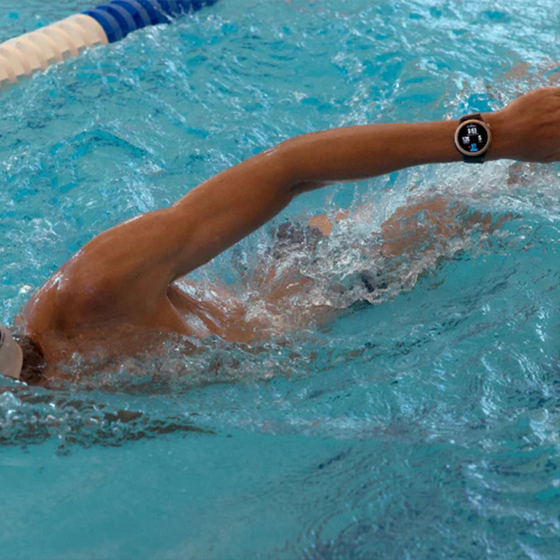
6. According to the ISO 22810:2010 standard, the Amazfit Balance 2 achieves a rating of 10 ATM, for a water-resistance of up to 100 meters, and is therefore suitable for splashes, showering, and swimming. It has passed third-party testing conducted by TUV, and the report number is 68.189.25.0132.01. Remove the watch when taking a hot shower or trip to the sauna, since too much steam can affect the seal and make it less water-resistant in future. Do not wear the watch with a leather or metal strap when swimming - when preparing to swim, use a silicone strap or other suitable type. For more information, please visit the support page at: support.amazfit.com. Suitability for, and resistance to, diving is according to EN13319:2000 (report number: SZES250400322101).
7. Zepp Flow™ currently supports these languages: English, French, German, Italian, Spanish, Japanese, Korean, Portuguese.
8. WhatsApp speech-to-text replies, and receiving of picture messages from instant messaging platforms, require connection to an Android phone with Android 7 or above.
9. 2,000nit brightness is not supported if battery life is below 30%. Depending on your environment, the watch can reach up to 2,000nit brightness after automatic brightness has been enabled in the watch settings.
10. The material used for the packaging box is 100% recyclable, with naturally degradable materials including mineral-free inks and anodized aluminum used in the bronzing process.
11. Smart recognition of strength training exercises can only be engaged within the Strength Training sports mode. 25 exercises are able to be recognized at time of product release, including: Bodyweight squats, Bodyweight straight arm front squats, Barbell squats, Tricep pushdowns, Bent over rows, Barbell bench press, Sit-up holds, Knee-touch sit-ups, Dumbbell flys, Burpees, Burpee jumps, Overhead tricep extensions, Lying tricep extensions, Lateral raises, Jumping jacks, Lat pulldowns, Deadlift, Push-up, Shoulder press, Pull up, Bicep curls, Seated cable rows, Dumbbell drag curls, Straight-arm pulldowns, Russian twists. If an exercise is not auto-recognized by watch, the Zepp App can provide a list of muscle groups or exercise names to choose from. Training templates and interval training templates are compatible with: Strength training, Outdoor running, Treadmill, Outdoor cycling, Indoor cycling, Rope skipping, Rowing machine, Indoor fitness, Core training, and Stair climbing.
12. Corresponding sports modes include: Outdoor Running, Treadmill, Walking, Indoor Walking, Outdoor Cycling, Pool Swimming, Rowing Machine, Elliptical. The accuracy and sensitivity of the workout recognition feature varies from person to person, and are related to the posture and proficiency of the user during their workout. Short workout duration or frequent changes in posture may not trigger the automatic recognition feature. When you are driving a car or taking a bus, or taking part in other such activities, accidental recognition may be triggered if these activities are particularly similar to the selected workout mode. When you are conducting outdoor activities, if the GPS signal is poor or the AGPS data information has not been synchronized with the mobile phone for an extended period, these outdoor activities may be assessed as indoor activities.
13. Training templates and interval training templates are compatible with: Strength training, Outdoor running, Treadmill, Outdoor cycling, Indoor cycling, Rope skipping, Rowing machine, Indoor fitness, Core training, and Stair climbing.
14. Connection to peripheral Bluetooth devices only supports devices with BLE connection. Supported devices include: heart rate belts, power meters, cadence meters, cycling speedometers, and thermometers.
15. Fitness app availability may vary depending on your country or region. Apple Health is only available on iOS devices, and Google Fit is only available on Android devices.
16. Live Sports Data Broadcast supports English and Chinese voice broadcasts.
17. Due to the device's storage limit, only a maximum of 20 membership cards can be added to the same account. Supported codes include Code 128, Code 39, UPC A, EAN 13, and EAN 8 and QR codes.
18. Daily Briefing needs to be set in the Zepp App or in the watch settings, and the currently supported content is: weather, battery, sleep, schedule, PAI, yesterday's activity.
The product images and screen content shown above are for reference purpose only. The actual product (including but not limited to its appearance, color and size) and screen display content (including but not limited to the background, UI and graphics) may differ slightly.
The data that is provided on this page without a specified source is taken from internal laboratories or supplier data, and has been obtained under a specific test environment. The product's actual performance may differ slightly due to product individual differences, software versions, usage conditions and environmental factors.
To provide product information, specifications and characteristics as accurately as possible, our company may adjust and revise the text descriptions, images and other content in the above pages at any time. Due to real-time changes in product batches and production-supply factors, we may modify the above information as required without providing a special notice.
The radio waves generated by the equipment may affect the normal operation of implanted medical equipment or personal medical equipment, such as pacemakers and hearing aids. If you use these devices, please consult their manufacturers for restrictions on using this device.
The product should not be worn in environments with strong magnetic fields such as MRI machines or medical imaging machines, as they may cause damage to the watch.
FAQ
Yes, most Amazfit devices are compatible with both Apple iOS and Samsung, Google or other Android OS based mobile phones.
Yes, the Balance 2 supports Bluetooth phone calls and texts
HybridCharge™ combines BioCharge, Training Load, and LifeLoad into one view of energy, readiness, and recovery.
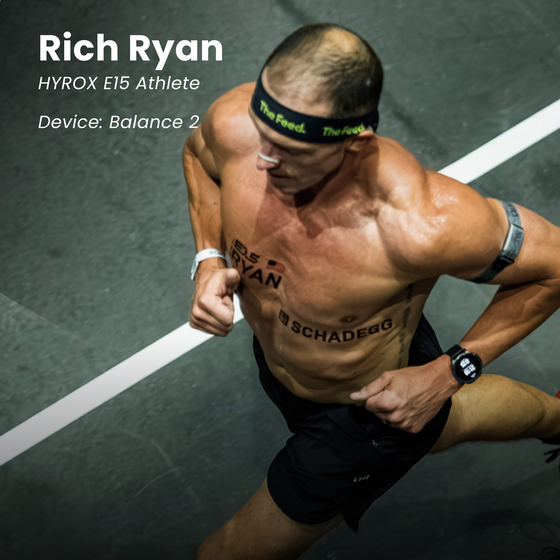
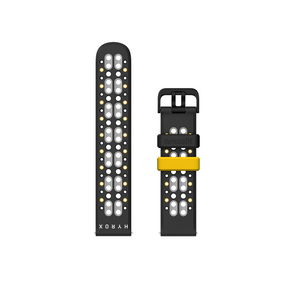
Yes. Balance 2 supports official HYROX Race Mode, HYROX training templates, HYROX Virtual Pace, and post-workout HYROX analysis.
Yes. Voice Memos allow you to record thoughts, coaching notes, and training observations during activities.
Yes, the Zepp app does sync with certain fitness, heath, or sports apps such as Strava, adidas Running, TrainingPeaks (via Terra), komoot, Relive, Google Fit, Apple Health. Other apps such as Samsung Health or Myfitnesspal do not sync. Please contact support.na@amazfit.com for further information.
You can delete maps, resume interrupted downloads, update existing maps, and manage related download tasks more conveniently. This makes it easier to keep maps organized and ready for outdoor use.
With up to 21 days of battery life under typical use.
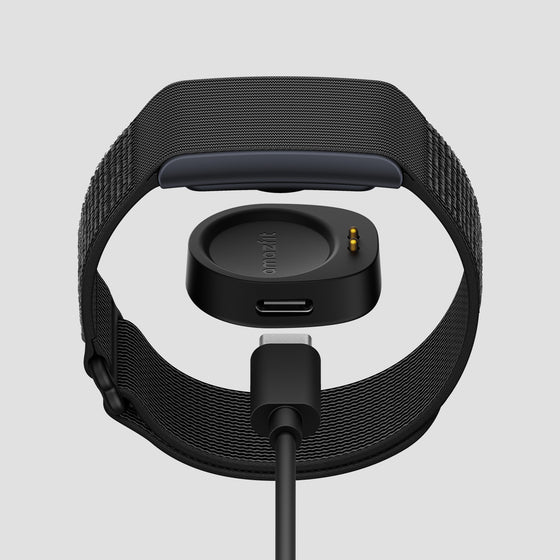
The Balance 2 smartwatch takes about 2 hours to fully charge from empty. Once fully charged the battery life on the Balance 2 will last 21 days.
Yes, the Balance 2 supports a variety of running sports modes, such as outdoor running, trail running, treadmill, and more. But it doesn’t stop at basic tracking — the watch also analyzes key performance metrics like VO₂ Max, heart rate zones, recovery time and more. Learn more about Amazfit Running Technology here.
Yes. The Amazfit Balance 2 is certified for diving⁶ and supports depths of up to 45 meters, making it suitable for both freediving and recreational scuba diving. Learn more about Amazfit Diving Technology here.
Balance 2 features a water-resistance grade of 10 ATM, meaning it can withstand pressure equivalent to 100 meters or 328 feet of static water depth for up to 10 minutes.
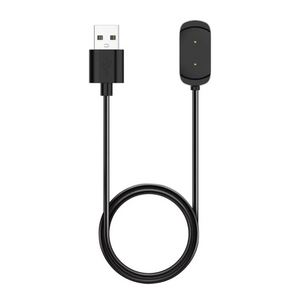
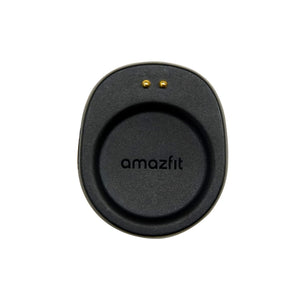
Amazfit is committed to sustainability, striving to minimize environmental impact and promote waste reduction across its products and operations. Many users already have an extra unused USB-C cable. If you do not have one, please reach out to our Customer Support at support.na@amazfit.com.
The upgraded Pool Swimming algorithm now supports Manual Rest, allowing you to manually mark rest periods during a workout. Swimming and rest periods are recorded as separate segments, while swimming segments are further organized by stroke. This makes it easier to understand the structure of your session and review how your time was divided between active swimming and recovery.
Yes, the Amazfit Balance 2 supports Zepp OS 6, which brings a refreshed sport-focused visual style to the watch, complete with smoother interactions and clearer visual feedback throughout the system.
The new update for Amazfit Balance 2 introduces Zepp OS 6, an upgraded pool swimming algorithm that supports manual rest logging, a new training calendar app to help you stay on top of your workout routine, a new training library app that makes easy-to-start workout templates accessible, smarter map management, a workout voice memo feature to help you quickly log a voice note without ending your workout, exercise gear tracking, RPE logging, and more.
Yes, the new Training Calendar app on Balance 2 makes it easier to stay on top of your training plan directly from your watch. Training plans set up in the Zepp App can now be viewed on the watch, so you can quickly check upcoming sessions and know what’s next without reaching for your phone.
Yes. On Amazft Balance 2, workout records can now be linked to specific gear, such as your running shoes or bike. By associating equipment with your workouts, you can more easily keep track of how your gear is being used over time and better understand its accumulated usage across your training history. Likewise, after finishing a workout, you can now record your Rating of Perceived Exertion (RPE) and overall training feel. This subjective input becomes part of your workout history and can also provide additional context for training load and training effect calculations.
Yes, the Rowing Machine workout mode on Balance 2 can now connect to FTMS-compatible third-party rowing machines, including the Concept2 RowErg. Once connected, workout metrics such as power and distance can be displayed directly on the watch, giving you a more complete view of your indoor rowing session.
Amazfit Balance 2 Series now support syncing HRV data to Apple Health. This helps users keep recovery and wellness data more connected across platforms. Once enabled, compatible HRV data from Zepp can be synced to Apple Health for easier long-term tracking.
Added:
1. Added support for starting navigation from POIs and displaying saved locations on the map.
2. Added support for tracking pool swimming drills: allowing users to manually mark the start and end of non-standard stroke exercises and enter the distance covered.
Improved:
1. Improved heart rate measurement accuracy during running workouts.
2. Optimized the display of contour lines and the map scale.
3. Optimized the Helio Strap Pro calibration process on the watch.
4. Optimized LifeLoad logging for easier use and more intuitive status tracking.
5. Heart rate zone names have been changed to "Zones 1–5," making them more intuitive and easier to understand.
6. The name of the map download task can be edited.
Improved:
1. Improved wrist-raise wake sensitivity during workouts.
2. Upgraded Cycle Tracking with a refreshed interface, improved period prediction, and new Check In options for symptoms, moods, and lifestyle habits.
3. Optimized pace and stroke-rate charts for pool swimming.
4. Optimized turn alert calculations to detect more turns with greater accuracy.
5. Added support for more waypoint icons and types.
6. Added the option to turn Auto Grouping on or off during Strength Training workouts.
7. Optimized Pickleball mode with swing count support.
8. Optimized the post-workout RPE entry flow.
Added:
1. Added HYROX Analysis: When Helio Strap Pro is connected and worn, start a HYROX Race or Simulation on the watch to record rep count, movement frequency, and heart rate trends. After the workout, you can review pacing changes at each station and receive training recommendations.
2. Added Amazfit screen-free device management: Once connected to the watch, the device can be configured or managed through Control Center, Shortcut Cards, and apps on the watch, with support for low-battery alerts, Find Device, heart rate push settings, and more.
3. Added music and playlist management through the Zepp App.
Path: Zepp App > Device > Device App Settings > Music
4. Added support for connecting Indoor Cycling to FTMS-compatible smart trainers and indoor bikes: Once connected, power, cadence, speed, distance, and other data can be displayed. The distance calibration screen also supports selecting metric or imperial units.
5. Added a peripheral connection reminder on the workout preparation screen: Once enabled in Workout Settings, the watch automatically searches for peripherals compatible with the selected workout type.
6. Added wrong-way detection and alerts during route navigation, with one-tap switching of the navigation direction after going the wrong way.
7. Added navigation support to Training Library workouts: only for workouts that support both Training Library and navigation.
Improved:
1. Optimized pairing with Helio Strap Pro. The watch can now automatically pair with a Helio Strap Pro linked to the same account.
2. Optimized route elevation charts for improved display and data readability.
3. Optimized map interaction during navigation: when the navigation view is set to heading-up, the map automatically rotates with your current direction while zooming.
4. Optimized workout pages: when system units are set to imperial, Track Run now displays both imperial and metric distances.
5. Optimized the Map experience: improved the readability of contour-line colors and POI information; trails now use a new color to distinguish them from urban roads; sidewalk data has been added along some major roads and is displayed at map scales from 200 m to 8 m.
6. Optimized Map downloads: you can now select a larger geographic area when downloading a map.
7. Optimized navigation: when point-to-point route navigation goes off course and route recalculation succeeds, a notification pop-up is now displayed.
Added:
1. Upgraded to Zepp OS 6: A new sport-inspired UI style, delivering smoother interactions and visual feedback.
2. Added Manual Rest for Pool Swimming: When enabled, rest data is recorded separately, with workout details clearly organized into swimming and rest segments.
3. Added "Lap Equivalent Pace" data fields for Outdoor Running and Trail Running.
Path: Outdoor Running/Trail Running > Workout Settings > Data Pages > Pace > Previous Lap Equivalent Pace/Current Lap Equivalent Pace)
4. Added Map Download Management: Supports deleting, resuming, and updating map downloads.
Path: Zepp App > Device > Map > Download Management in the upper-right corner
5. Added support for connecting to third-party rowing machines*during Rowing Machine workouts. After connection, metrics such as power and distance can be displayed.
*Supports rowing machines that comply with the FTMS protocol, such as Concept2 RowErg.
6. Added Training Calendar App: Allows you to view training plans set in the Zepp App.
7. Added Training Library entry to the workout list, providing access to more built-in workouts from the Zepp App.
8. Added linking sports gear: Workout records now support linking sports gear, such as running shoes, making it easier to track gear usage.
9. Added Voice Memos during workouts: Recordings can also be reviewed in workout details in the Zepp App.
10. Morning Updates have evolved into Daily Updates, delivering richer insights in the morning and evening to help you start and review your day.
11. Added support for syncing HRV data to Apple Health.
Improved:
1. Changed the default pause button setting for some workouts from "Press Crown" to "Press and Hold Crown" to reduce accidental presses.
2. Optimized the VO2 max algorithm to improve data accuracy and stability. After the update, VO2 max results will be gradually corrected based on new workout data.
3. Optimized the running Lactate Threshold algorithm for improved accuracy.
4. When using route navigation, the pre-workout screen now displays the upcoming route track and route name.
5. Increased the maximum number of routes stored on the watch to 100.
6. Optimized workout page layouts and UI style.
7. Optimized the map navigation UI when reaching the destination.
8. Improved the responsiveness of turn alerts during route navigation.
9. Optimized map display and interaction.
10. Optimized the alarm experience.
11. Fixed other known issues to improve system stability and smoothness.
Added:
1. Added HybridCharge™ Energy Intelligence: HybridCharge™ combines BioCharge™, LifeLoad™, and Training Load into one connected system that reflects your true training capacity.
2. Added Next Hard Session: Full Recovery Time has been upgraded toNext Hard Session, offering a more practical estimate of when the body may be ready for another high-intensity workout.
3. Added HYROX training template: The App includes official-level HYROX training templates, covering half-distance simulation, quarter-distance simulation, and multiple specialized training templates to help you prepare with precision and train like a professional athlete.
4. Added HYROX strategy: Your intelligent race commander automatically generates a complete tactical template based on your target, provides full-course guidance, dynamically tracks your overall progress and gap to target, and previews the next stage to help you precisely control your race pace and push beyond your personal limits.
5. Added support for Helio Core Motion accessories in HYROX race and HYROX simulation.
6. Added resting heart rate sync: After pairing a new device, saved resting heart rate data can be synced to the new device via the App.
Improved:
1. Optimized VO₂ max algorithm: Improved VO₂ max accuracy. After the update, VO₂ max results will be gradually calibrated based on new workout data.
2. Optimized Zepp Flow experience: Supports more flexible volume control, provides more timely voice feedback, and improves the experience of notification reminders and related settings. Expanded the scope of voice interaction, supporting queries for HybridCharge-related information, as well as quick voice access to more workout modes, system apps, and frequently used features.
3. Optimized map navigation experience: After opening the map track menu during a workout, you can quickly access this feature through the newly added navigation entry.
4. Optimized golf features: Differentiated the completion reminder copy for golf course data downloads and terrain map downloads, and adjusted the hole-switching logic to improve the on-course experience.
5. Optimized altitude algorithm: Improved altitude data stability during outdoor workouts, reducing abnormal fluctuations in accumulated ascent and descent.
Added:
1. Added Equivalent Pace data: combines personal physiological data, fitness level, and gradient changes to convert uphill and downhill effort into an equivalent flat-ground pace for better energy management.
2. Added Offline Route Planning: creates loop routes and routes from the current location to a destination within the Topographic Map app while offline.
3. Added GPS Heading in Topographic Maps: supports GPS heading display in the Topographic Map app for a navigation experience consistent with workout navigation.
4. Added Activity Data Fusion & Sync Back: data from multiple devices is fused through Zepp and synchronized back to all devices for improved consistency and synchronization.
5. Added Bluetooth Speaker: the watch can connect to your phone and play phone audio.
6. Added HYROX Race × Stryd Integration: supports connecting your watch to Stryd and displaying pace-related workout metrics in real time.
Improved:
1. Optimized topographic map display and on-watch route creation. Supports navigation to points up to 100 km away and dynamic contour-line precision adaptation. Update via the Zepp App is recommended.
2. Optimized watch face status indicators, allowing users to customize their visibility.
3. Optimized diving experience with depth calculation, descent/ascent detection, and suppression of system notifications during workouts.
4. Optimized map downloads with support for combined downloads of multi-level cloud maps and map version display.
5. Optimized BioCharge display, allowing status changes to be viewed during workouts.
6. Optimized screen wake behavior by adjusting screen-on duration for different usage scenarios.
7. Optimized weather information in workout records by limiting the display range of weather data.
8. Fixed an issue where workouts with extremely long tracks or excessive segments could cause the watch to restart.
Express checkout with: